
Trying to Setup the AmpoHub?
It looks like you may have run into an issue
You have run into this error as your device is still connected to Wi-Fi network at your current location. Connect your AmpoHub's WiFi network by following the instructions given below.
Solution One:
Ensure your device (e.g., laptop) is connected to the AmpoHub's Wi-Fi network directly.
The SSID of the AmpoHub is Ampo-XXXX, which is available on the AmpoHub itself, as shown in the image below.
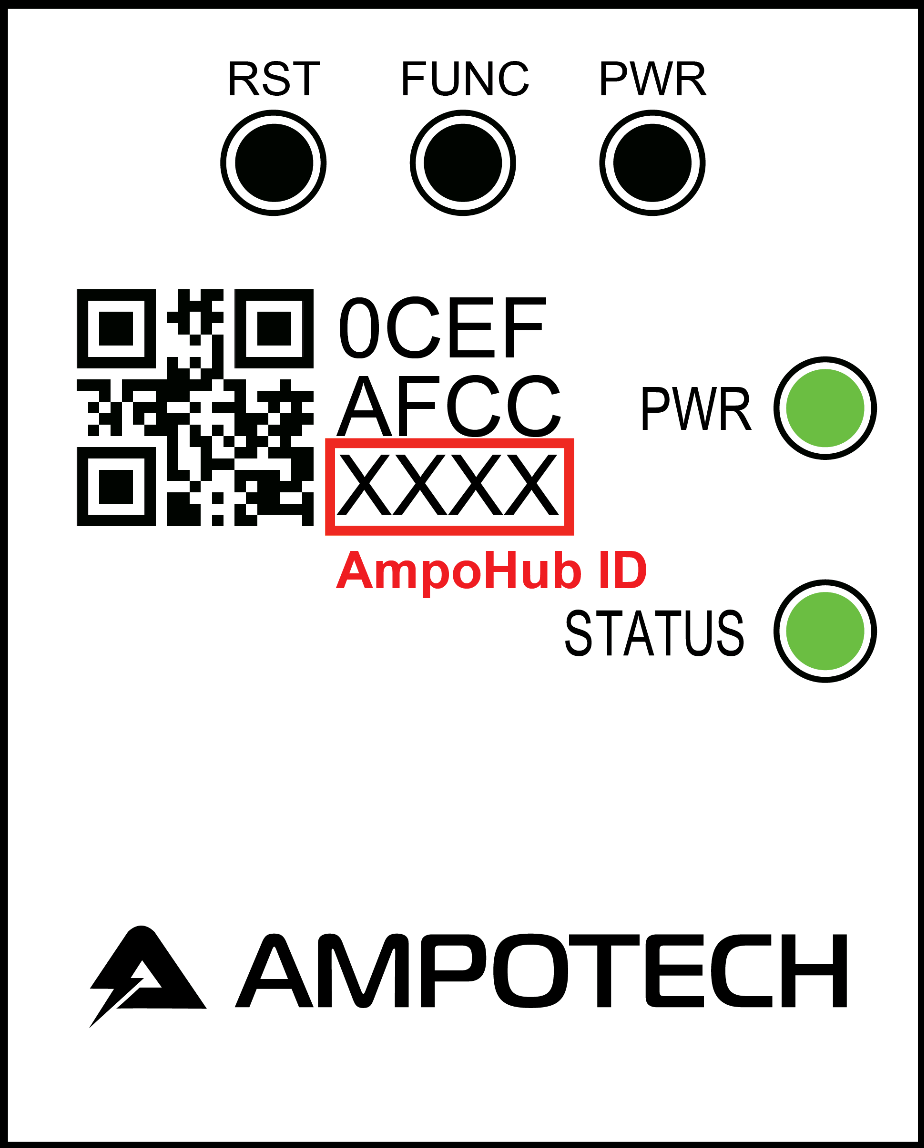
Consult the user manual on how to connect to the AmpoHub, if needed. Alternatively, you can watch an instructional video on basic network set-up here: https://vimeo.com/382353927/bcab4b4a3f.
The desired connection is shown below for reference based on your operating system.
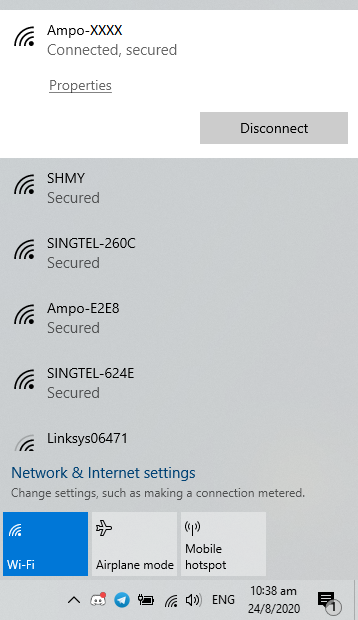 |
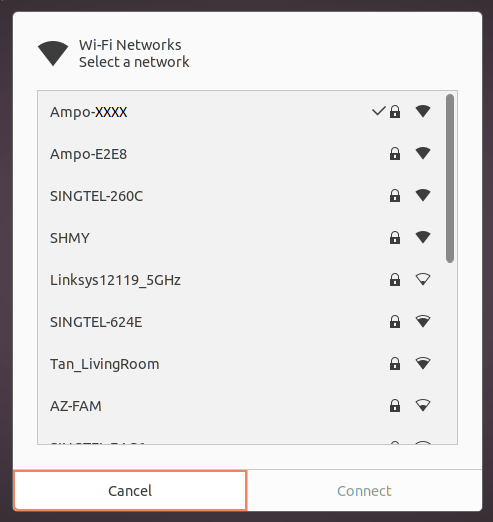 |
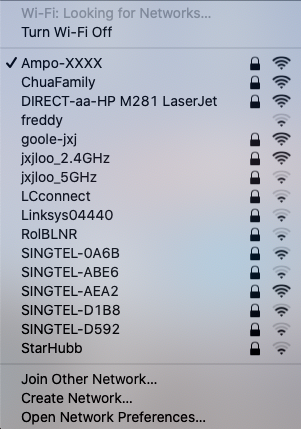 |
|---|---|---|
| Windows | Linux | macOS |
Once your device is connected, as shown above, refresh the http://amposense.com.
Solution Two:
If Solution One does not work, please use the IP address http://192.168.8.1 to access the Ampohub's setup page.